Published by December 2, 2025 · Reading time 24 minutes · Created by Lix.so
It’s a feeling every advertiser knows well. You've painstakingly built out a campaign, hit the launch button, and then… crickets.
When your Facebook ads are not delivering, the culprit is often a simple oversight. It’s rarely a complex algorithmic mystery; more often, it's a billing glitch or a paused campaign toggle you missed. This checklist is your first line of defense to quickly find and fix these common, foundational problems.
Before you start spiraling into complex bid strategies or audience overlaps, you have to clear the basics. I've seen advertisers waste hours troubleshooting advanced settings when the real issue was an expired credit card or a campaign that was simply switched off. It's an easy trap to fall into.
Think of this as the pre-flight check for your campaign. A pilot wouldn't take off without confirming the instruments are working, and you shouldn't troubleshoot without verifying your campaign’s core components are active and approved. Systematically ruling out these initial suspects will solve the majority of delivery problems in minutes, saving you a ton of frustration.
Start by asking the three most critical questions. Each one tackles a fundamental pillar of ad delivery and can immediately tell you why your ads are grounded.
This simple flowchart lays out the first moves you should make when you see zero delivery. It's all about checking approval, activation, and billing, in that order.
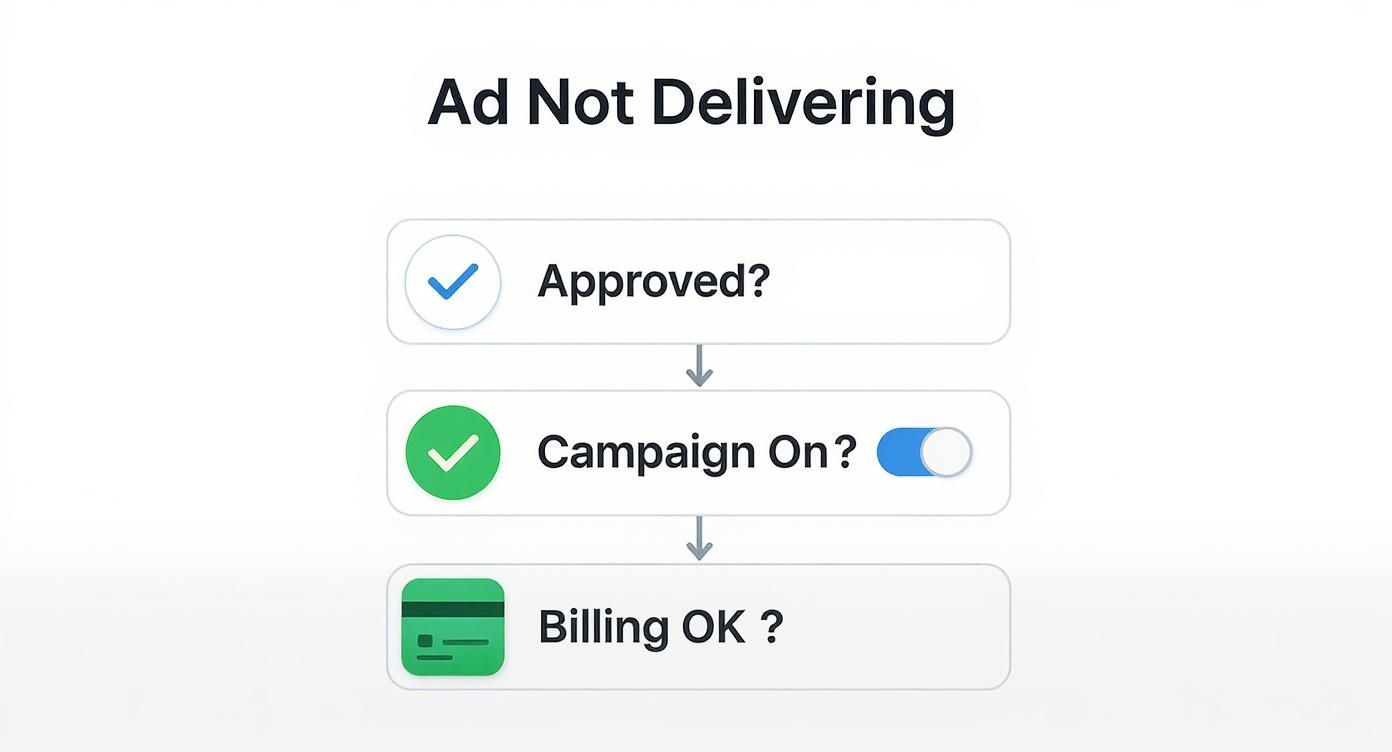
These three checks are your foundation. Fix one, and you'll often find the path to solving the next.
To make this process even faster, I've put together a quick diagnosis table. Use it to systematically go down the list, see what to check, and know exactly what to do. Getting these basics right from the start is non-negotiable, and you can walk through the entire setup process in our guide on how to post an advertisement on Facebook.
This table is designed to be your go-to resource for the most common—and most easily fixable—reasons your Facebook ads aren't running. Work through it from top to bottom.
| Problem Area | What to Check | How to Fix It |
|---|---|---|
| Ad Status | Look at the "Delivery" column in Ads Manager. Is it "Rejected" or stuck "In Review"? | If rejected, dive into Account Quality to see why and edit the ad to be compliant. If it's stuck, give it 24-48 hours before requesting a manual review. |
| Campaign Toggles | Check the on/off switch at the Campaign, Ad Set, and Ad levels. | All three toggles must be switched to the "On" (blue) position. An ad can't run if its parent campaign or ad set is turned off. |
| Billing & Payments | Head straight to the "Billing" section of your Ads Manager. | Make sure your primary payment method is valid and not expired. Check if you've hit your account spending limit and either increase it or remove it. |
| Scheduling | In your ad set settings under "Budget & Schedule," look at the start and end dates. | Fix any start dates set for the future or end dates that have already passed. Make sure the schedule is live and hasn't concluded. |
By running through this checklist first, you’ll catch the simple errors that trip up even experienced advertisers. If everything here checks out, then you can confidently move on to diagnosing more complex issues like audience size or bid strategy.
When your Facebook ads suddenly stop delivering, it’s tempting to immediately start tweaking bids and budgets. But before you dive into the technical weeds, take a step back. More often than not, the real culprit is hiding in plain sight: a conflict with Meta's advertising policies.
An ad doesn't have to be flat-out rejected to get choked. Even minor compliance hiccups can quietly suffocate its reach. Think of it this way: Meta’s algorithm has a trust score for every advertiser. A healthy ad account is the foundation of consistent delivery because the algorithm favors advertisers it trusts. Repeated policy stumbles, even small ones, chip away at that trust, leading to longer review times and a higher chance your next ad gets flagged.
Getting that rejection notice is frustrating, especially when the reason feels vague. But don't just see it as a roadblock. A rejection is a clue—it’s valuable data showing you exactly how Meta’s algorithm sees your ad and your landing page.
For instance, you might run an ad for a new face cream and get a rejection for "Misleading or Exaggerated Claims." This wasn't a random decision. It was likely triggered by a specific phrase in your copy, something like "erases wrinkles in 3 days." The same goes for a free webinar ad that gets flagged because the landing page immediately pushes a paid upsell before delivering the promised free content.
Pro Tip: Your first stop after a rejection should always be the Account Quality dashboard in your Meta Business Suite. It gives you far more detail than the simple notification in Ads Manager and is the official starting point for any appeal.
Meta’s review doesn't end when someone clicks your ad. The user's experience after the click is just as critical. A clunky, misleading, or broken landing page is a massive red flag for the review system and can get an otherwise perfect ad shut down.
The rule is simple: your landing page has to deliver on the ad's promise. If your ad shows a specific blue sweater, the link better go straight to the product page for that blue sweater, not your store’s homepage.
Here are the most common landing page mistakes that kill ad delivery:
If you’ve reviewed the policies and genuinely believe your ad was flagged by mistake, you can request another review. But just clicking the "Request Review" button and hoping for the best is a losing strategy.
A successful appeal is a conversation. You need to provide context. In your appeal, clearly and respectfully explain why you believe the ad is compliant. Pinpoint the specific policy you think was misinterpreted by the system.
For example, if your ad was flagged for "Personal Attributes," you could explain that your copy is framed to solve a general problem ("Struggling with dry skin this winter?") rather than calling out a specific user's condition ("Is your dry skin making you uncomfortable?"). A well-reasoned argument shows you understand the rules and have made a good-faith effort to follow them. This simple step can dramatically increase your chances of getting the ad approved and back in action.
Your budget and bid strategy are the fuel for your Facebook campaign engine. Get them wrong, and your ads will stall out on the starting line. When I see Facebook ads not delivering, one of the first places I look is the money—a mismatch between what you’re willing to pay and what the auction actually demands is a classic, show-stopping problem.
Think of the Meta ad auction as a real-time marketplace. Your bid is what you’re offering for a prime piece of digital real estate (someone’s feed). If that bid is too low or your daily budget is too restrictive, you’ll be outbid every single time. No impressions, no clicks, no results. It's like showing up to a high-stakes auction with pocket change.

Setting an aggressive cost cap or a bare-bones daily budget feels like a smart way to control spending, but it often backfires spectacularly. What you’re actually doing is handcuffing the algorithm, preventing it from even entering the auction for you. If the going rate to reach your audience is $2.00 per click, but your bid cap is locked at $0.50, Meta’s system won’t even bother trying. Your ads will just sit there.
This problem gets worse as competition heats up. For instance, between 2023 and 2024, the average cost per click for dental campaigns skyrocketed by 139%. Any advertiser who didn't adjust their bids and budgets to match that new reality probably saw their delivery grind to a halt.
So, how do you diagnose and fix this?
Expert Insight: I once troubleshooted a client's campaign that had zero impressions for two days straight. They'd set a cost-per-result goal of $10, but their own historical data showed the real cost was closer to $25. We simply removed the cap, and delivery started within the hour. Sometimes you just have to trust the algorithm with a bit more leash.
Every new ad set goes through a "learning phase." This is Meta's algorithm doing its homework, figuring out who in your audience is most likely to convert. To graduate from this phase, an ad set generally needs to hit around 50 optimization events (like a purchase or lead) within a 7-day window.
If it can't get that data, it gets stuck in "Learning Limited." This status is a notorious delivery-killer because the algorithm never builds enough confidence to spend your budget effectively.
Here are the common traps that lead to "Learning Limited":
The solution is to consolidate. Instead of five ad sets with a $10/day budget each, try running one or two with $25-$50/day. This focuses your spend and gives the algorithm a fighting chance to learn and optimize. For those managing many campaigns, using Facebook Ads automation tools can help streamline your campaign structures and avoid these costly learning phase stalls.
Not all bid strategies are created equal. Picking the wrong one is like bringing a knife to a gunfight—you’re just not equipped for the objective. Your choice has to align with your campaign's goals and maturity.
| Bid Strategy | Best Use Case | When to Avoid It |
|---|---|---|
| Highest Volume | Perfect for new campaigns or when you want to maximize results within your budget. Let Meta do the work. | If you have strict cost-per-acquisition (CPA) targets that you absolutely cannot exceed. |
| Cost Per Result Goal | Use this when you have solid, data-backed knowledge of what a conversion should cost you. | If you're guessing at your target CPA. An unrealistic goal will simply stop delivery cold. |
| Bid Cap | For advanced users who want to control the maximum bid in any single auction, often in highly competitive markets. | If you're in a competitive space, a low cap will ensure you lose almost every auction. |
Ultimately, a winning bid and budget strategy is a balancing act. You have to give the algorithm enough resources and freedom to find you customers, while still keeping a firm hand on your overall spend. If your ads aren't running, a thorough review of these fundamentals is one of the most powerful moves you can make.
So, you've checked all the technical boxes. Policies are clean, billing is fine, and your bids and budget look solid. Yet, your ads are still gathering dust with zero impressions. What gives?
Nine times out of ten, the problem isn't technical—it's strategic. Your ads are failing for one of two reasons: you’re talking to the wrong people, or what you're saying is falling completely flat. It's time to take a hard look at your audience targeting and your ad creative. This is where the algorithm's magic either happens or fizzles out.
An ad campaign is just a conversation. If you try to whisper your message in a room that’s too small, nobody hears it. If you try shouting the same thing to two different groups at once, you just create noise. This is exactly what happens when your audience is too narrow or your own ad sets are fighting each other for attention.

One of the most common culprits when Facebook ads are not delivering is an audience that’s just too restrictive. I see this all the time. Marketers think hyper-targeting is the key, but an audience of a few thousand people gives Meta’s algorithm almost no room to breathe, explore, and find users who will actually convert. The system needs a decent-sized pool to learn and do its job.
You might think you’ve built the "perfect" audience by layering filter upon filter—interests, behaviors, demographics. For instance, targeting women aged 25-30 in a single zip code who are interested in both "yoga" and "organic skincare" might sound brilliant, but you’ve likely shrunk your potential reach down to a few hundred people. The algorithm will barely find anyone, and your ad delivery will stall before it ever starts.
Another sneaky delivery killer is audience overlap. This happens when you have multiple ad sets targeting similar, or even identical, groups of people. When this occurs, you’re not competing against other advertisers anymore—your own ad sets are bidding against each other. Meta's system will usually pick one "winner" and show its ad, effectively benching the others and killing their delivery.
Imagine you have one ad set targeting a 1% Lookalike of your website visitors and another targeting people interested in "Digital Marketing" and "SaaS." There's a very good chance that a huge chunk of your lookalike audience also has those interests. That’s internal competition, and it’s a waste of your money.
You can easily diagnose this using Meta's "Audience Overlap" tool. You'll find it in the Audiences section of your Business Manager. It shows you the exact percentage of overlap between any two saved audiences, revealing which ad sets are cannibalizing each other's reach.
The fix is simple: use exclusions. When you’re setting up a prospecting ad set, always exclude your retargeting audiences (like website visitors or past purchasers). This ensures you aren't paying to show top-of-funnel ads to people who already know who you are.
If your audience is properly defined and sized, the last piece of the puzzle is the ad creative itself. Meta’s algorithm is designed to protect the user experience. Ads with low engagement, poor-quality visuals, or copy that just doesn’t grab attention get pushed to the back of the line. The result? Little to no delivery.
It’s not just about pretty pictures; it’s about performance. Personalization is a massive factor. Research shows that ads combining data points like browsing history and location can achieve up to 94.1% audience relevance and a 70% positive emotional response. The platform also heavily favors video, with formats like Reels achieving 35% higher CTRs than static images. If you’re not using engaging formats, you’re telling the algorithm your ad isn’t a priority.
Choosing the right format can make or break delivery. Here’s a quick rundown of how different creative types tend to perform:
| Ad Format | Typical CTR Impact | Best Use Case |
|---|---|---|
| Video Ads (Reels/Stories) | High (+35%) | Grabbing attention quickly, demonstrating a product, storytelling |
| Carousel Ads | Medium-High | Showcasing multiple products, features, or steps in a process |
| Single Image Ads | Medium | Strong, simple calls-to-action; high-impact visuals |
| Collection Ads | High (for e-commerce) | Mobile-first shopping experiences, browsing a product catalog |
| Text-Only Ads | Low | Very niche use cases; generally not recommended for direct response |
As you can see, sticking to static images when your competitors are using video and carousels can leave you in the dust.
Another frequent issue is simple creative fatigue. This is what happens when your ad has been running so long that your audience has seen it a dozen times and now just scrolls right past it. Low engagement signals to Meta that your ad is stale, and delivery will slowly grind to a halt.
Having a solid workflow for managing and iterating on your visuals and copy is just as crucial as setting the right bids. To keep delivery strong, you need to keep things fresh. For a deeper dive, check out our guide on Facebook Ads creative management best practices. By consistently refreshing your ads with new angles, hooks, and formats, you signal to the algorithm that your content is current and valuable, encouraging it to give your campaign the priority it deserves.
So, you've checked every technical setting, tweaked every dial in Ads Manager, and your ads still aren't delivering. What gives?
You might be running into a much bigger, industry-wide shift. The advertising world we operate in today is fundamentally different from just a few years ago. Major privacy initiatives, especially Apple's App Tracking Transparency (ATT) framework, have completely rewritten the rules of the game. This isn't just a trend to watch—it's a daily reality impacting your ad delivery.
Every time a user on an iPhone opts out of tracking, a huge chunk of valuable data simply vanishes. Meta loses the ability to see what that person does on websites or other apps, creating what we call "signal loss." This blind spot has a massive, direct effect on your campaign's ability to find its audience and perform.
Signal loss isn't just a reporting headache; it actively chokes your ad delivery in a couple of critical ways.
First, your retargeting audiences shrink. Dramatically. That custom audience of "Website Visitors in the Last 30 Days" might now be a fraction of its former size because Meta can't identify many of the iOS users who visited your site. When an audience gets too small, the algorithm struggles to find enough people to serve ads to, causing delivery to stall out.
Second, conversion reporting gets fuzzy. With fewer signals coming back, the algorithm has a much harder time understanding who is converting and why. This makes it incredibly difficult to optimize your campaigns. If the system can't confidently find converters, it will often pull back on delivery to avoid wasting your budget.
The rollout of privacy measures like Apple's iOS 14 update gutted Facebook's ability to do granular targeting and retargeting like it used to. This means campaigns now need a much bigger investment in first-party data to claw back some of that lost efficiency. Honestly, failing to adapt here is a huge reason many campaigns get stuck in "not delivering" limbo. You can explore the full data on how privacy changes affect Facebook Ads to see just how deep the rabbit hole goes.
Navigating this new environment means you have to stop relying solely on third-party tracking. The modern advertiser's toolkit is all about building resilience with data you own and control.
Here’s what you need to be doing right now to fight signal loss and get your delivery back on track:
Implement the Conversions API (CAPI): Think of CAPI as a direct, secure pipeline between your website's server and Meta's. It sends conversion data (like purchases or sign-ups) that the Pixel often misses because of ad blockers or iOS restrictions. This gives the algorithm a more complete picture, helping it optimize better and keep delivery going.
Embrace Broad Targeting with Advantage+: With less granular data to work with, hyper-targeting just isn't as effective anymore. Meta's Advantage+ campaigns were built for this new reality. You feed the algorithm your best creative and a broad audience, then let its machine learning find your ideal customers. This avoids the restrictive, layered targeting that can easily stifle your reach.
Build Your First-Party Data Assets: This is your most important long-term strategy. Your email list, SMS subscribers, and customer loyalty program are now your most valuable targeting assets. You can upload these lists to create incredibly accurate Custom Audiences and then build powerful Lookalike Audiences from them. This is data you own, and it's immune to any changes Apple or Google make to their privacy settings.
Adapting isn't optional anymore. By implementing CAPI, leaning into Meta's powerful automation, and focusing on growing your own data, you're building a far more robust advertising strategy. This approach doesn't just fix today's delivery issues—it future-proofs your campaigns for whatever privacy changes come next.
Even after you’ve checked all the boxes and run through the diagnostics, some delivery issues are just plain stubborn. It’s not always a simple on/off switch. When your Facebook ads aren't delivering, the root cause can be nuanced, often hiding in the details of your setup.
This is your rapid-fire Q&A for those moments. We’ll skip the fluff and give you direct answers to the most common questions that pop up when ads are approved but stuck at zero.
Patience is a tough ask in advertising, but jumping the gun can do more harm than good. Once you launch a new ad, it has to get through Meta's review process, which usually takes under 24 hours but can sometimes drag. Even after it's approved, the algorithm needs time to find its bearings in the auction.
My rule of thumb? Give a newly approved ad at least a full 24 hours to start spending. If a whole day passes and you’re still sitting at zero impressions, it’s officially time to investigate. Any sooner, and you risk overcorrecting during the algorithm's natural (and sometimes slow) warm-up phase.
This is easily the most common and maddening scenario. You’ve confirmed billing is active and every switch is flipped to "on," yet nothing happens. In my experience, this almost always comes down to two culprits: your bid or your audience.
The usual suspects are:
The Quick Fix Test: Temporarily edit your ad set and change the bid strategy to "Highest Volume" (which used to be called "Lowest Cost") and remove any bid or cost caps. If your ad suddenly springs to life and starts spending, your bid was the bottleneck. If it’s still dead in the water, the problem is almost certainly your audience.
One hundred percent. This is the silent killer that trips up so many advertisers. Meta’s review isn’t just about your ad creative—it’s about the entire user experience. Your ad makes a promise, and your landing page has to deliver on it.
If your destination URL leads to a broken page, a site that takes ages to load on a phone, or a page littered with aggressive pop-ups, Meta will slam the brakes on your delivery. A poor post-click experience is a huge red flag for them, even if the ad itself was approved. Always, always check that your landing page provides a clean, fast, and relevant experience.
Seeing that dreaded "Learning Limited" status is Meta’s way of telling you your ad set is stuck. It means the campaign isn't getting enough conversions—the magic number is 50 optimization events within a 7-day window—to figure out who to target.
When an ad set is in this state, performance gets choppy, inefficient, and delivery is often throttled. The algorithm simply doesn't have enough data to confidently spend your budget, so it pulls back.
To escape "Learning Limited," you need to feed the algorithm more conversion data, faster. Try one of these fixes:
Tired of the tedious, error-prone process of manually building campaigns? Lix.so replaces manual uploads with lightning-fast batch creative ingestion and reusable campaign templates. Cut your ad launch time from hours to seconds and eliminate the import errors that often block delivery. Launch your next campaign in a fraction of the time by visiting https://lix.so/en.
Create hundreds of Facebook Ads campaigns in minutes with Lix.so. Batch creative upload, reusable templates, and automatic campaign generation.
✓ Free for 14 days · ✓ No credit card required · ✓ Cancel anytime

