Published by November 28, 2025 · Reading time 20 minutes · Created by Lix.so
Before you can post a winning ad on Facebook, you have to get your foundation right. So many advertisers make the mistake of jumping straight into Ads Manager without a clear plan, but the real secret to success starts long before you click "Publish."
The first big decision? Choosing your weapon.
You’ve got two main options: a simple Boost Post or a full-blown campaign in Ads Manager. Think of a Boost Post as Meta's easy button. It’s perfect for giving a quick shot of visibility to something that’s already on your Page, especially if it’s getting some decent organic love. This is your go-to for straightforward goals like brand awareness or amplifying a popular post.
On the other hand, Facebook Ads Manager is the command center for serious advertisers. It’s where you get granular control over everything—from hyper-specific audience targeting and A/B testing your creatives to optimizing for bottom-of-funnel actions like purchases or lead form submissions.
Deciding between the simplicity of boosting a post and the power of Ads Manager can be tricky. This table breaks down the key differences to help you choose the right tool for your specific advertising needs.
| Feature | Boost Post | Ads Manager |
|---|---|---|
| Goal | Quick visibility, engagement, brand awareness | Advanced objectives (conversions, leads, app installs) |
| Targeting | Basic (age, gender, location, simple interests) | Advanced (lookalike audiences, custom audiences, behaviors) |
| Placements | Limited (Facebook & Instagram Feed) | Full control (Feed, Stories, Messenger, Audience Network) |
| Creative Control | Uses existing post only | Full creative freedom (carousels, collections, new ads) |
| Optimization | Limited to post engagement or reach | Optimize for specific actions (purchases, sign-ups) |
| Best For | Beginners, amplifying existing content, quick reach | Performance marketers, e-commerce, lead generation |
In short, if you just need to get more eyeballs on a post you’ve already created, a Boost is a great, simple option. But for any campaign where performance and ROI are critical, Ads Manager is the only way to go.
Let's be blunt: your ad creative is everything. It’s the image, video, and text that has to stop someone mid-scroll, and you only get one shot. In a feed full of distractions, your visuals have to be impossible to ignore and your message has to hit hard and fast.
Use High-Quality Visuals: This is non-negotiable. Use sharp, vibrant images or videos. Ditch the blurry, generic stock photos—they scream "ad" in the worst way. For videos, make sure they’re built for mobile, since that’s where most people will see them. Not sure about the specs? We have a complete guide on the right video dimensions for Facebook ads to make sure your content looks polished.
Write Compelling Copy: Your headline and primary text need to be direct and focused on the benefit. Don't waste words. Ask a question, state a surprising fact, or just get straight to the value you're offering.
Have a Clear Call-to-Action (CTA): Tell people exactly what to do next. "Shop Now," "Learn More," "Sign Up"—a strong CTA removes any guesswork and pushes them toward the finish line.
A huge mistake I see all the time is treating ad creative like an afterthought. You can have the most brilliant targeting in the world, but if the creative is mediocre, the ad will almost always fail. Your visual is the hook; the copy and CTA are what reel the customer in.
Getting this right is worth the effort. Facebook’s potential ad reach is a staggering 2.28 billion users across the globe. As DataReportal’s latest stats show, this massive scale gives you the power to connect with almost any demographic imaginable. When you combine that incredible reach with powerful creative, you have a recipe for real growth.
Jumping into Facebook Ads Manager for the first time feels a lot like stepping into an airplane cockpit. You're surrounded by buttons, dials, and menus, and it's easy to feel overwhelmed. But once you get the hang of the basic structure, it all starts to click.
Every single ad you create is built on three simple levels: the Campaign, the Ad Set, and the Ad.
Think of it like a filing cabinet:
Nailing this hierarchy is the key to staying organized and launching effective ads. It's simple: every ad lives in an ad set, and every ad set lives in a campaign.
Before you do anything else, you need to tell Facebook exactly what you want to achieve. This isn't just a label; your choice here directly tells Meta's algorithm how to deliver your ad and who to show it to.
If you pick "Traffic," the algorithm will hunt down people most likely to click a link. If you choose "Sales," it will prioritize users with a history of making purchases.
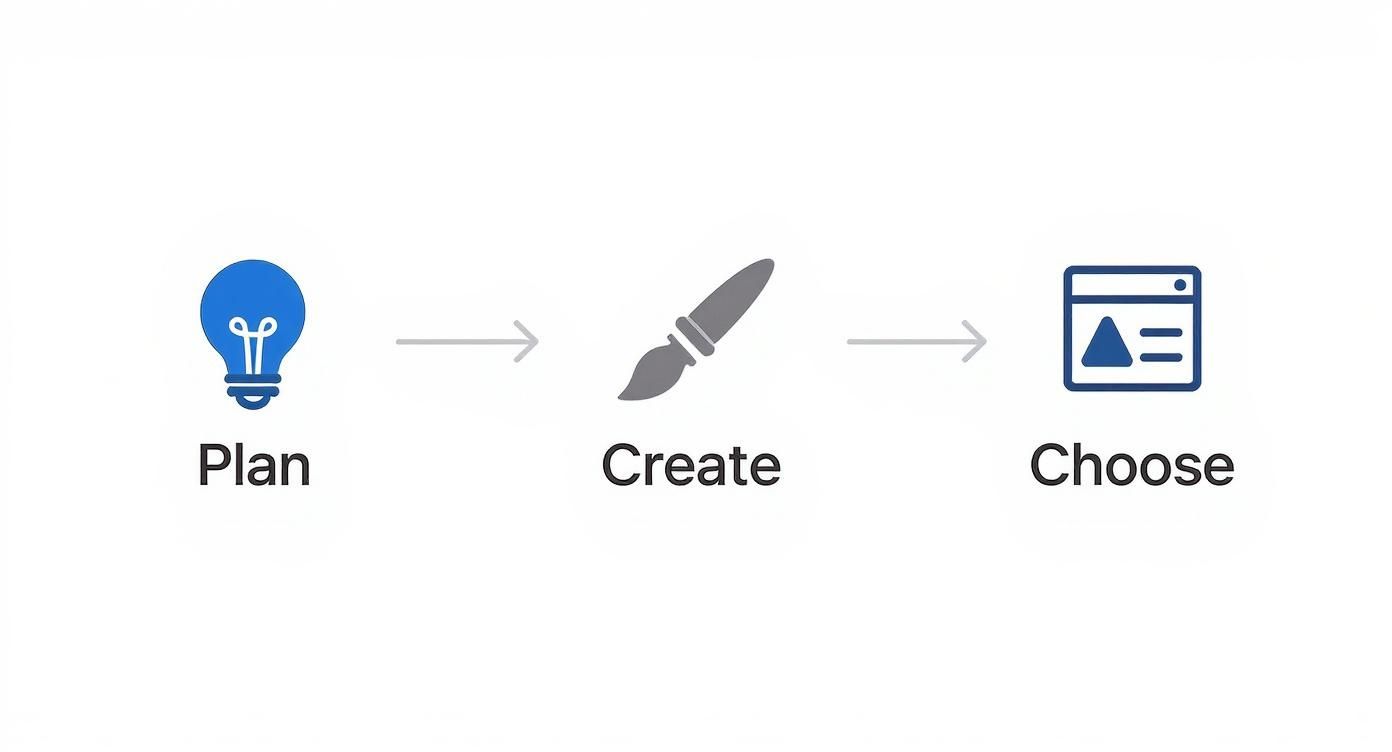
Here’s a quick visual that breaks down the workflow before we dive into the nitty-gritty of Ads Manager.
Some of the most common objectives you'll encounter are:
When you're just starting out, I always tell people to begin with a clear, measurable goal. Don't run an ad just for the sake of it. If you run an e-commerce store, go straight for Sales. If you're a local service provider, focus on Leads.
Next up is the money. You'll decide how much to spend and for how long. Facebook gives you two main options here: a Daily Budget or a Lifetime Budget.
A daily budget tells Facebook to spend a specific amount each day, which gives you consistent, predictable delivery. A lifetime budget, on the other hand, gives the algorithm more freedom to spend more on days when it spots better opportunities, as long as it stays within your total budget for the campaign's entire run.
For beginners, a daily budget is almost always easier to manage and provides more predictable spending. You can start small—even $10-$20 a day is enough to start gathering useful data.
The final piece of the puzzle at the Ad Set level is choosing your placements. This is where your ad will actually show up across Meta's massive ecosystem, which includes Facebook, Instagram, Messenger, and the Audience Network.
You can let Facebook handle this with Advantage+ Placements (their recommended automatic setting), or you can take the wheel and select them manually.
Manual placements give you more control. For instance, you might discover that your video ads are killing it in Instagram Stories but falling flat on the Facebook Audience Network. By manually deselecting the underperformers, you can force your budget toward the placements that actually deliver results.
As you get more advanced, you can even explore how Facebook Ads automation tools can help streamline this optimization process for you, saving a ton of time.
You could have the most amazing, jaw-dropping ad creative in the world, but it's completely useless if it’s shown to the wrong people. This is where Facebook's targeting tools really shine, letting you go way beyond just age and gender to find people who are actually looking for what you sell.
Sure, you can start broad with location, age, and gender. But the real power comes from layering interests and behaviors. Put yourself in your ideal customer's shoes. What are their hobbies? What brands do they love? What kind of content do they engage with?
Let’s say you run a local cafe and just launched a new artisanal coffee blend. You could target people who’ve shown an interest in "fair trade coffee," "specialty coffee," and pages for other "local cafes." You could even add a location layer to target people who were recently in your neighborhood. Now that's a relevant ad.
The most powerful audiences you can build are made up of people who already know you. These are your warmest leads, and Facebook gives you two incredible tools to reach them and find more people just like them: Custom Audiences and Lookalike Audiences.
Imagine uploading a list of your top 1,000 customers. You can then ask Facebook to create a 1% Lookalike Audience. The platform will then identify the top 1% of users in your target country who most closely resemble your existing high-value buyers. This is an absolute game-changer for scaling your campaigns.
The single biggest mistake I see advertisers make is only targeting cold interests. Your Custom and Lookalike Audiences will almost always deliver a higher Return on Ad Spend (ROAS) because you're reaching people who are either already familiar with you or are statistically similar to those who are. Start there.
Once you've got your core audiences dialed in, you can refine them even further by layering different criteria. You can use "AND" logic to make your audience more specific or "OR" logic to broaden your reach.
Think about a high-end travel agency promoting a luxury safari package. They wouldn't just target "travel." Instead, they could build an audience that must match all of the following criteria:
This kind of layering ensures their ad is only shown to a hyper-specific group that is far more likely to be interested. The level of detail you can get with targeting is what makes Facebook so effective. You can zero in on key demographics like the 25-34 age group, which makes up 31.1% of all users, or the 18-24 segment at 23%. If you want to dive deeper, Hootsuite has some great Facebook user demographics on Hootsuite worth checking out.

Here's a hard truth: running a Facebook ad without proper tracking is just gambling. You're throwing money into the machine with no real idea if it's hitting the jackpot or just disappearing. If you want to make smart, data-backed decisions that actually grow your business, you have to set up the right measurement tools from day one.
This is where the Meta Pixel and the Conversions API (CAPI) come into play. Think of them as your campaign's private investigators, reporting back on everything that happens after someone clicks your ad.
The Meta Pixel is a little snippet of code you place on your website. Its job is to watch user actions—like someone viewing a product page, adding an item to their cart, or completing a purchase. It's the bedrock for attributing sales back to your ads and for building those incredibly powerful Custom Audiences you'll use for retargeting later.
Not too long ago, the Pixel was all you needed. But with the rise of ad blockers and increasing privacy restrictions (like Apple's iOS changes), the Pixel alone can't see the full picture anymore.
That’s why the Conversions API is now essential. It works in tandem with the Pixel, but instead of sending data from the user's browser, it sends data directly from your server to Meta's. This server-to-server connection is far more reliable and helps plug the data gaps the Pixel misses. Using both is the new industry standard.
Ultimately, CAPI helps you capture more conversion data, which leads to better ad optimization and a much more accurate Return on Ad Spend (ROAS). For those who want to get really technical with it, digging into the Facebook Ads API for advanced automation can unlock even more granular control.
Once your tracking is up and running, you need to tell it what to watch for. These are called events, and they represent the key actions you want to measure.
A rookie mistake is to only track the final purchase. If you also track "AddToCart" and "InitiateCheckout," you can pinpoint exactly where people are dropping off in your sales funnel. That's gold for creating retargeting campaigns to bring them back.
With all this data flowing in, your Ads Manager dashboard becomes mission control. It's easy to get lost in the sea of metrics, so just focus on the ones that tell you if your ad is actually making you money.
By keeping a close eye on these core metrics, you can elevate your strategy from just "posting an ad" to running a profitable, scalable marketing engine on Facebook.
There’s nothing worse than getting your campaign perfectly set up, hitting “Publish,” and then… rejection. Or, a campaign that was crushing it suddenly flatlines. It’s a frustrating part of running Facebook ads, but trust me, these hurdles are almost always solvable once you know what to look for.
https://www.youtube.com/embed/CA3f0vJTv28
First, let's talk about the dreaded ad rejection. This is usually a straightforward policy violation. Meta's notification can be annoyingly vague, but the reason typically falls into a few common buckets. Maybe your image has too much text splashed across it, your copy is making wild, unsupported claims ("Lose 30 lbs in 3 days!"), or your landing page is broken. The very first thing to do is pull up Meta's official ad policies and cross-reference your ad and landing page.
When a campaign that was performing well suddenly takes a nosedive, the issue is often more subtle than a hard rejection. High costs and low conversions are the classic symptoms of a bigger problem brewing under the surface.
In my experience, the most common culprit is creative fatigue. Audiences simply get bored of seeing the same ad over and over again, and their eyes just glaze over it. Performance craters. The fix is simple but requires discipline: you have to regularly refresh your images, videos, and copy to keep things interesting.
Another issue I see all the time is audience saturation. Your ad set might have just exhausted its potential, showing your ad to the same people too many times. Pop into Ads Manager and check your Frequency metric. If that number is creeping past 3 or 4, it’s a big red flag. Time to either expand your audience or, better yet, swap in some fresh creative.
Sometimes, the problem isn't the ad itself but your bidding strategy. If you’ve set a manual bid cap that’s too low, you might be pricing yourself out of enough auctions to get any real traction. Trying a different bid strategy, like Highest Volume, can often be the kickstart your campaign needs to get delivering again.
To help you troubleshoot faster, I've put together a quick-reference table for the most common reasons an ad gets rejected. It's a good starting point for diagnosing the problem.
| Rejection Reason | What It Means | How to Fix It |
|---|---|---|
| Prohibited Content | Your ad is trying to sell something on Meta's no-fly list, like weapons, tobacco, or sketchy supplements. | The only solution is to remove the prohibited product or service from both your ad creative and your landing page. |
| Misleading Claims | Your ad copy makes promises that are too good to be true or can't be proven, like "Get rich overnight!" | Tone down the hype. Revise your copy to be honest and focus on the real, tangible benefits of what you're offering. |
| Non-Functional Landing Page | The URL in your ad leads to a broken page (like a 404 error) or a page that has nothing to do with what the ad promised. | Double-check that your URL is correct and the page loads fast. Most importantly, ensure the landing page experience matches the ad's offer. |
| Image Text Policy | This used to be a huge issue, but it can still cause problems. Too much text on an image can lead to poor delivery or rejection. | Keep text on your image to a bare minimum. Let the headline and primary text fields do the heavy lifting for your message. |
Getting an ad rejected feels like a setback, but it’s usually just a small bump in the road. By understanding these common pitfalls, you can get your ads approved quickly and keep your campaigns running smoothly.
Even with the best guide in hand, a few questions always pop up when you're about to hit "Publish." It's totally normal. Let's tackle some of the most common ones I hear from advertisers so you can move forward with confidence.
There's no magic number here, but the best strategy is always to start small and scale smart.
While you can technically run an ad for $1 per day, that’s not nearly enough to get any meaningful data. Think of it like trying to fish in the ocean with a single hook and no bait. A much more realistic starting point is $10 to $20 per day for each ad set you're testing.
This budget gives the algorithm enough fuel to find the right people without you having to risk a huge amount of money upfront. Once you find a winner—an ad that’s actually making you money (a positive ROAS)—you can start to scale. A good rule of thumb is to increase the budget incrementally, by about 20-25% every few days, to avoid shocking the algorithm and resetting its learning phase.
The "best" format is the one that sells your product, and that depends entirely on what you're selling. That said, some formats are definite winners for certain goals.
My personal rule of thumb? If you can show your product in action, video will almost always outperform a static image. If you have a range of great product shots, start with a carousel.
For most campaigns, especially when you're in the testing phase, a run time of 3 to 7 days is the sweet spot. This gives Meta's algorithm enough time to optimize and for you to gather solid performance data.
Running an ad for just a day or two is a waste—the system barely has time to figure out who to show it to. On the flip side, letting an ad run forever is a surefire way to burn cash. People get tired of seeing the same thing over and over, a phenomenon we call "ad fatigue."
Keep a close eye on your frequency metric. If you see it creeping above 3 (meaning the average person has seen your ad more than three times), it's probably time to refresh your creative or target a new audience.
Ready to stop wasting hours on manual campaign builds? Lix.so lets you upload hundreds of creatives at once and uses reusable templates to launch entire campaigns in seconds. Ditch the busywork and start focusing on what really matters—strategy and growth. Try Lix.so for free and see how much time you can save.
Create hundreds of Facebook Ads campaigns in minutes with Lix.so. Batch creative upload, reusable templates, and automatic campaign generation.
✓ Free for 14 days · ✓ No credit card required · ✓ Cancel anytime

