Published by December 6, 2025 · Reading time 19 minutes · Created by Lix.so
To track ads effectively on Meta's platforms, you need to think in layers. Long gone are the days of just dropping a snippet of code on your site and calling it a day. Today, a solid tracking setup requires both the browser-side Meta Pixel and the server-side Conversions API (CAPI) working in tandem.
Why? Because relying on the Pixel alone means you're flying blind. With the rise of ad blockers and major privacy shifts like Apple's iOS updates, you could be losing up to 30% of your conversion data. Using both tools creates a redundant, far more reliable system to see what's actually working.
Let's cut to the chase: if you're only using the Meta Pixel, your data is incomplete. For years, that simple JavaScript snippet was the gold standard, but the digital advertising world has changed. Ad blockers are more aggressive, browsers are cracking down on cookies, and privacy updates have punched huge holes in data collection.
Relying on a single, browser-based tool is like trying to navigate a storm with a faulty compass.
Every time the Pixel fails to fire, you lose visibility. That lost conversion data directly torpedoes your ability to measure Return on Ad Spend (ROAS) and build effective retargeting audiences. It leads to wasted ad spend and campaigns that look like they're failing when, in reality, you're just not seeing the full picture. When your Facebook ads are not delivering the results you expect, broken tracking is often the silent killer.
To build a tracking foundation that can actually withstand today's challenges, you need a two-pillar strategy that pulls data from two different sources. This is where the Meta Pixel and the Conversions API (CAPI) team up.
The Meta Pixel (Browser-Side): This is your frontline data collector. It lives on your website and sends events directly from a user's browser to Meta. It's fantastic for capturing a wide range of actions in real-time and is crucial for building website custom audiences.
The Conversions API (Server-Side): Think of this as your secure, direct line to Meta. Instead of relying on the user's browser, CAPI sends event data from your server straight to Meta's. This connection is completely immune to ad blockers, cookie restrictions, and other browser-level interruptions.
By implementing both, you create critical data redundancy. When the Pixel gets blocked, CAPI is there to send the conversion data anyway, filling in the gaps. This dual approach gives you a much more complete and accurate view of your campaign's true performance.
To give you a clearer picture, here’s a quick breakdown of how they stack up.
The Pixel and CAPI aren't competitors; they're teammates. Each has a distinct role in capturing the data you need for smart advertising decisions. Understanding their individual strengths and weaknesses is key to building a robust tracking system.
| Feature | Meta Pixel (Browser-Side) | Conversions API (Server-Side) |
|---|---|---|
| Data Source | User's web browser | Your web server |
| Reliability | Vulnerable to ad blockers, cookie restrictions, and network issues | Highly reliable; unaffected by browser-side blockers |
| Data Captured | Rich browser data (e.g., page views, button clicks, time on page) | Key conversion events (e.g., purchases, leads, sign-ups) |
| Setup Complexity | Easy; copy-paste JavaScript or use a plugin | More complex; requires server-side setup or integration |
| Best For | Building retargeting audiences, top-of-funnel events | Accurate conversion tracking, filling data gaps, measuring ROAS |
Ultimately, using both isn't just a best practice—it's essential. The Pixel gives you breadth, capturing a wide net of user interactions, while CAPI provides the depth and reliability needed for accurate conversion measurement.
This robust setup is non-negotiable for any serious advertiser. Facebook is a behemoth, with ad revenues projected to hit $127 billion annually by 2027, all driven by one of the largest user bases on the planet. To capitalize on that reach, your tracking has to be flawless.
Okay, with your strategy locked in, it's time to roll up our sleeves and tackle the tech setup. The whole point here is to create two clean, parallel streams of data: one coming from the user's browser via the Meta Pixel, and another flowing directly from your server through the Conversions API (CAPI).
Getting this foundation right from the jump is what separates clean, reliable data from the messy, inaccurate metrics that plague so many advertisers.
Most modern e-commerce platforms like Shopify or website builders have made installing the Meta Pixel pretty straightforward. You can usually just copy and paste your unique Pixel ID into a settings field and call it a day.
That said, a manual installation using Google Tag Manager (GTM) often gives you far more control and flexibility, especially when you start tracking custom events down the road. It’s a bit more work upfront but pays off in the long run.
Once you've placed the Pixel code on your site, verifying it is non-negotiable. Don't just assume it’s working.
The easiest way to check is with the free Meta Pixel Helper Chrome extension. Just head over to your website, and if the extension's icon turns blue, you know it has found a correctly installed Pixel. Simple as that.
Clicking on the icon will show you exactly which events are firing on that page. For a brand-new setup, you should at least see a "PageView" event on every single page load. If that icon is gray or throws an error, it’s a dead giveaway that the Pixel code is either missing or installed incorrectly.
This diagram shows how data flows from a user’s action, splitting off to both the Pixel and CAPI.
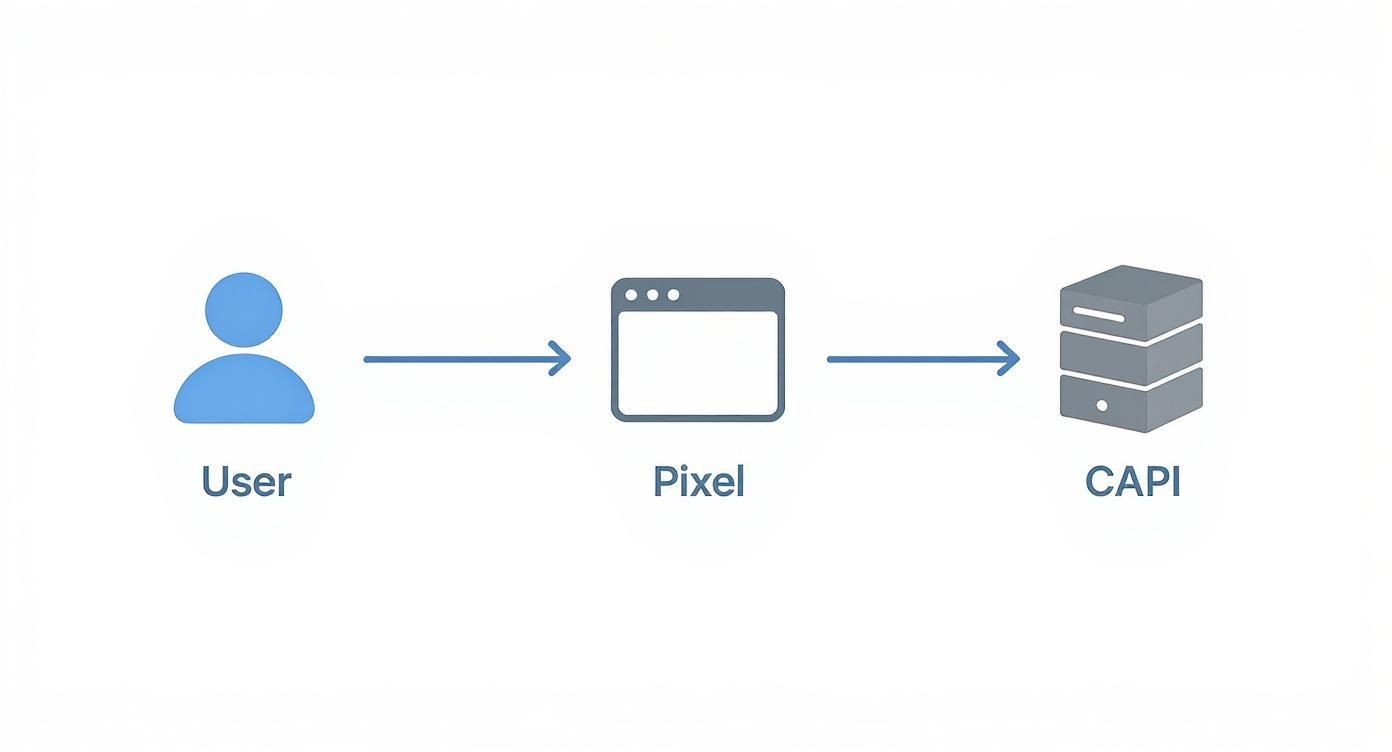
The key takeaway here is that these two systems are designed to run in parallel. They work together to capture events, building a more complete and resilient data set than either could alone.
The Conversions API often sounds intimidating because it involves your server, but you really don't need to be a developer to get it running. Meta has invested heavily in partner integrations that handle all the complex stuff for you.
Platforms like Shopify have native CAPI integrations you can enable with just a few clicks. For other setups, tools like the GTM server-side container or various third-party connectors can bridge the gap without you ever having to write a line of code. For those who want more direct control over their data pipelines, you can always explore the Facebook Ads API for deeper customization.
Pro Tip: The single biggest mistake I see advertisers make is treating the Pixel and CAPI as two separate tools. They are a team. If you don't configure them to communicate, you'll end up double-counting every single conversion, which will completely wreck your performance metrics.
To stop that data inflation in its tracks, you absolutely must set up event deduplication. This is just a fancy way of saying you add unique IDs to the conversion data sent by both the Pixel and CAPI.
When Meta receives two events with the exact same ID, it knows they're duplicates and automatically discards the second one. This ensures every conversion is counted only once.
Your partner integration or GTM setup should have a clear option for this—often it's just a simple checkbox that makes a world of difference. Proper deduplication is the secret to merging your browser and server data into a single source of truth. It’s what makes your reporting clean, accurate, and ready for real analysis.
Alright, you've got your tracking infrastructure in place. The Meta Pixel and CAPI are now like a high-tech listening device wired into your website. But right now, they're just picking up background noise. The real magic happens when you tell Facebook which specific sounds—which user actions—are the music of a successful business. This is where event mapping comes in.
Instead of trying to track every single click, your goal is to zero in on the key milestones in your customer's journey. These are the moments that signal true intent and move someone from a casual browser to a paying customer. For most businesses, especially in e-commerce, this journey follows a pretty predictable path.

Meta has a built-in list of "standard events" that cover the most common, high-value actions you'd want to track. Think of these as a universal language that Facebook's optimization algorithm understands perfectly. If you're serious about tracking ads on facebook effectively, implementing these is non-negotiable.
Here are the absolute essentials for almost any business:
By tracking this sequence, you’re not just collecting random data points; you're building a narrative of the user journey. This story allows Meta’s algorithm to go out and find more people who are likely to complete the entire story, from that first glance to the final purchase.
Standard events are powerful, but they don't cover every business model. What if your main goal isn't selling a physical product? Maybe you’re generating leads for a SaaS platform or getting sign-ups for a webinar. This is where custom events become your secret weapon.
You can create and name your own events to track actions that are unique to your business.
For instance, a B2B company might create:
DemoRequest for when a user fills out a form to see a product demo.WhitepaperDownload after someone submits their email for a free resource.PricingPageVisit to tag users who show serious interest in your subscription tiers.These custom events are invaluable for building hyper-targeted audiences. Imagine creating an audience of everyone who requested a demo in the last 30 days and hitting them with ads focused on closing the deal. This level of granularity transforms your https://lix.so/en/posts/fb-ads-reporting from generic metrics into truly actionable insights.
Just tracking that an event happened isn't enough. To truly measure profitability and optimize your campaigns, you need to send back crucial details with each action. These are called parameters, and the two most critical ones for any purchase-focused business are value and currency.
When a Purchase event fires, sending back the total order value and the currency it was in allows Meta to automatically calculate your Return on Ad Spend (ROAS). Without this data, you're flying blind, just guessing at your campaign's financial performance. Passing these parameters is the final piece of the puzzle, turning your tracking setup into a true profit-measuring machine.
Okay, you've got your server-side and browser-side tracking firing in perfect harmony. That’s huge. But there's one more layer we need to add to get the full picture. I'm talking about Urchin Tracking Modules, or UTMs.
Think of it like this: your Pixel and CAPI tell you what happened on your website (a purchase, a lead, etc.). UTMs tell you which specific ad made it happen. They're just small snippets of code added to your URLs, but they are the critical link between your ad spend and your analytics.
Without them, all your paid traffic from Facebook just shows up as a big, anonymous blob in Google Analytics. You’ll have no idea which campaigns are winners and which are just burning cash. This is how you finally connect the dots.

Here's the most important rule with UTMs: be consistent. Messy UTMs create messy, unreliable data. Set up a clear naming convention from day one and stick to it religiously.
This is a battle-tested framework that keeps our analytics clean and genuinely insightful.
winter-sale-2024-conversions. This lets you directly compare performance in Google Analytics to what you see in Ads Manager.video-ad-01 or image-ad-blue-sofa is perfect. It tells you which creative is actually driving the clicks.With this structure, your analytics goes from a foggy overview to a crystal-clear performance report. You'll know precisely which campaigns and creatives are making you money. That level of detail is non-negotiable when optimizing your ad spend, especially when you consider that by 2025, 38.5% of Facebook users in the US are projected to make purchases directly on the platform. The tracking ecosystem is powerful, and you need to feed it clean data. You can learn more about Meta's latest e-commerce statistics here.
By maintaining a strict UTM naming convention, you ensure every click is categorized correctly. This simple discipline is the foundation for trustworthy cross-channel attribution and reliable campaign analysis.
It's really important to understand that UTM data and Facebook's own reporting are telling two different—but equally valuable—stories.
Your UTM data, when viewed in Google Analytics, almost always works on a "last-click" model. This means whichever ad a person clicked on right before converting gets 100% of the credit. It’s a direct, straightforward measurement.
Facebook, on the other hand, uses a much broader attribution model. Its default is usually a 7-day click and 1-day view window. This means Facebook will take credit for a conversion if someone either clicked your ad in the last seven days OR just viewed it (without clicking!) in the last day before converting.
This is precisely why you'll almost always see more conversions reported in Ads Manager than in Google Analytics. Neither platform is "wrong"; they're just measuring success with different rulers. Use UTMs to understand the direct click-through journey, and use Ads Manager to see the wider influence and impression-based impact of your campaigns.
Once you've nailed the basics, the game changes. It's no longer about just getting a pixel on a page; it’s about managing complexity at scale while playing by the rules of user privacy. For anyone operating at a higher level—think agencies juggling multiple clients or brands running dozens of ad accounts—a bulletproof tracking workflow isn't a luxury. It's a necessity.
This is where you build a system that can grow without becoming a complete mess of manual, repetitive tasks. If you're using tools like Lix.so to launch campaigns in batches, you absolutely need a centralized and consistent tracking strategy. Without it, your data becomes fragmented and unreliable. You need a single source of truth, whether you’re managing one ad account or fifty.
Apple's App Tracking Transparency (ATT) framework was a seismic shift for anyone tracking ads on Facebook. When users on iOS 14.5 and later opt out of tracking, the firehose of data you once had slows to a trickle. Meta’s answer to this was Aggregated Event Measurement (AEM).
AEM is designed to process web events from iOS users in a way that respects their privacy choices, but it still gives you some data for campaign optimization. There's a big string attached, though: you can only optimize for a maximum of eight conversion events per domain.
This limitation forces you to be strategic. You have to sit down and decide which user actions are the most critical for your business.
Purchase, has to be at the very top.Why the priority list? Because if a user completes several actions (say, they AddToCart and then Purchase), Meta will only report the highest-priority event you've set. For opted-out iOS users, this is your only way to salvage performance data, so getting this right is non-negotiable.
Think of it this way: by setting up your top eight events, you're giving Meta a clear roadmap. You're defining what success looks like for your business, which helps the algorithm optimize your campaigns toward real results, even when it's working with incomplete data.
In today's world, tracking is as much about legal homework as it is about technical setup. Regulations like GDPR in Europe and CCPA in California are not just suggestions—they're laws that require you to get explicit user consent before you drop any tracking cookies.
This means a cookie consent banner isn't just a nice-to-have anymore; it's a foundational piece of your website. If a user clicks "decline," your Meta Pixel shouldn't fire. Period. This is where a good Consent Management Platform (CMP) is worth its weight in gold, as it handles the logic automatically based on what the user chooses.
Ignoring user consent isn't just a fast track to hefty fines; it's a great way to destroy customer trust. Building a tracking system that is both effective and ethical is the only way to create a sustainable advertising strategy. Your entire setup has to be built from the ground up to honor privacy choices.
Even with a flawless setup, you're going to have questions. Hitting a snag with your ad tracking is just part of the game on Facebook. Let's walk through some of the most common sticking points I see advertisers face, clear up the confusion, and get your data flowing correctly.
These aren't weird edge cases; they're the everyday hurdles that can really mess with your confidence in the numbers you're seeing.
First thing's first: grab the Meta Pixel Helper extension for Chrome. It's your go-to diagnostic tool and will instantly tell you if the pixel code is even on your site. If the icon is grayed out, it means the code is either missing or installed incorrectly in your website's header.
Another common culprit? Aggressive ad-blockers or scripts that conflict with the pixel. Try loading your site in an incognito window with all extensions turned off to see if that's the issue. Finally, just give it a minute. It can sometimes take 20-30 minutes for new event data to show up for the first time in your Events Manager dashboard.
Here’s the simplest way to think about it: standard events are the official language Meta’s algorithm understands. Events like Purchase or AddToCart are predefined actions that you install with code, and they are absolutely crucial for serious campaign optimization, building detailed audiences, and measuring performance accurately.
Custom conversions, on the other hand, are more of a quick-and-dirty workaround. You create them right in Ads Manager based on URL rules (like someone landing on a specific "thank-you" page) without needing any extra code. While they can be useful in a pinch, they're far less powerful for optimization. If you're serious about tracking, always prioritize implementing standard events.
Apple’s ATT framework changed everything. It forced apps to ask for user permission before tracking them across other websites and apps. When a user opts out, the data you get back is severely limited, which can tank your ad personalization and muck up your reporting.
Meta’s answer to this is Aggregated Event Measurement (AEM). This system is designed to measure events from opted-out iOS users in a privacy-safe way, but there’s a big catch: you can only track a maximum of eight conversion events. You have to go into Events Manager and manually configure AEM by prioritizing your top eight events. This ensures that your most important business actions are still being measured, even with limited data.
Ready to stop wasting time on manual campaign setups and focus on strategy? Lix.so helps you launch entire Facebook ad campaigns in seconds. Use our batch creative tools and reusable templates to turn hours of tedious work into a few simple clicks. Start your free 7-day trial and see the difference.
Create hundreds of Facebook Ads campaigns in minutes with Lix.so. Batch creative upload, reusable templates, and automatic campaign generation.
✓ Free for 14 days · ✓ No credit card required · ✓ Cancel anytime

