Published by December 4, 2025 · Reading time 24 minutes · Created by Lix.so
Nailing your video ad specs for Facebook is the first step to avoiding frustrating upload errors and making sure your content looks sharp in front of your audience. If you just want the universally accepted standards, stick to an MP4 or MOV file format, H.264 video compression, and AAC audio compression at 128kbps+. These core technical settings give you the widest compatibility across all of Meta's ad placements.
Trying to navigate the world of Facebook video ad specifications can feel like a maze. There are different rules for Feeds, Stories, Reels, and In-Stream placements, and each has its own quirks for aspect ratio, resolution, and duration. Think of this guide as your single source of truth, breaking down every technical detail you'll need.
Instead of digging through countless Meta help articles, you can bookmark this page to quickly verify your creative assets. A solid grasp of these specs helps you sidestep common headaches like rejected ads, stretched or blurry videos, and poor playback quality. Getting it right from the start means smoother campaign launches and, ultimately, better performance.
This image sums up the three most critical technical specs for any video you run on Facebook.
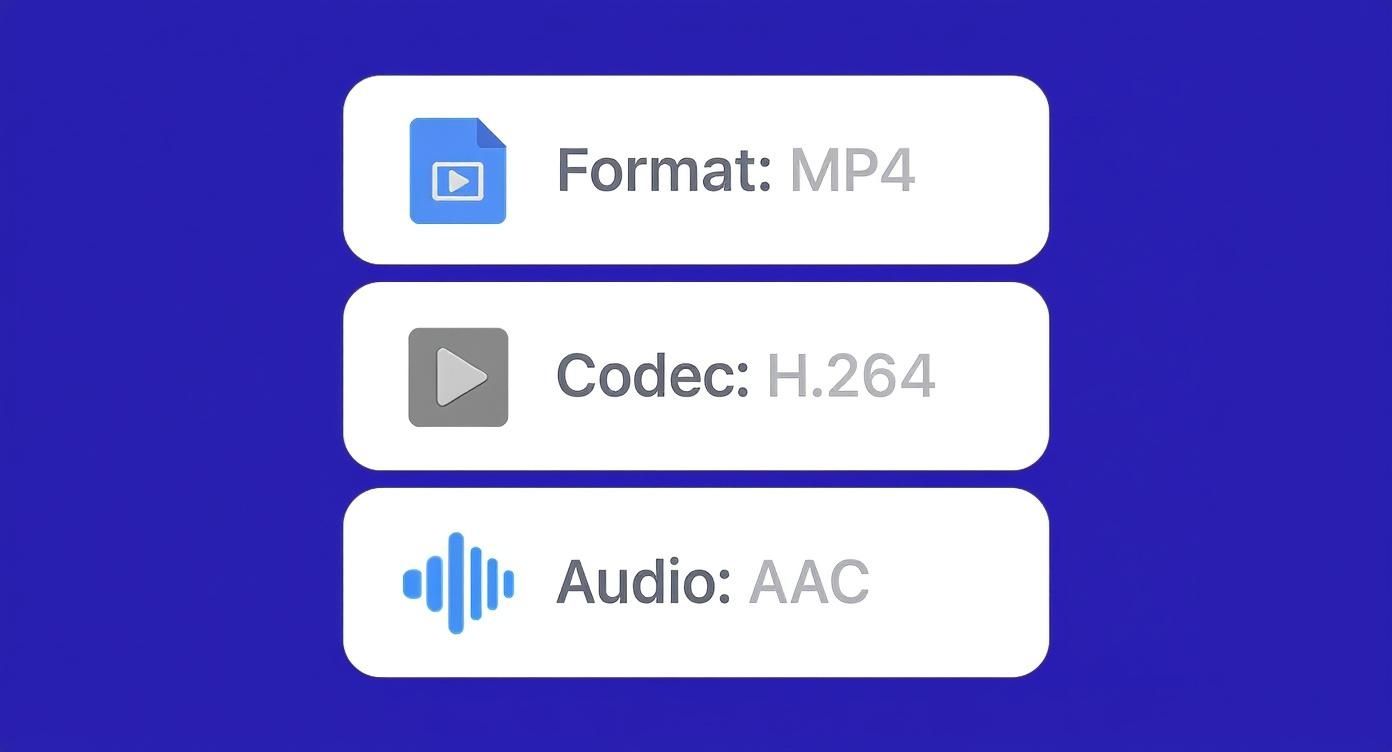
As you can see, combining the MP4 container with the H.264 video codec and AAC audio codec creates a file that Facebook's system can process without a hitch.
Before you upload anything, it's always a good idea to run through a quick pre-flight check. This table covers the most important technical specs that apply to nearly every video ad placement on Meta's platforms.
While the rules for specific placements can vary (especially around aspect ratios), these settings are your foundation for a successful, high-quality video ad. For a deeper dive into the exact dimensions for images and videos across every format, make sure to check out our comprehensive guide to Meta ad sizes.
| Specification | Recommendation | Why It Matters |
|---|---|---|
| File Format | MP4 or MOV | These are the most widely supported formats, ensuring smooth processing and compatibility across all devices and placements without conversion issues. |
| Video Codec | H.264 | H.264 offers the best balance of high-quality video compression and manageable file sizes, which is perfect for fast loading on mobile connections. |
| Audio Codec | AAC (128kbps+) | This audio standard provides crisp, clear sound at a compressed size, complementing the H.264 video for an optimal user experience. |
| Max File Size | 4GB | Keeping your file under this limit prevents upload failures. It's a generous cap that accommodates most high-resolution ad creatives without a problem. |
Think of these four specs as your golden rules. As long as your video files meet these basic requirements, you've already won half the battle against upload errors. From here, you can focus on the placement-specific details like aspect ratios and video length.
Before we jump into the nitty-gritty of each ad placement, let's cover the foundational technical specs that apply to almost every video ad you'll run on Facebook. Nailing these core settings from the start is the key to making sure your video uploads without a hitch, looks sharp, and actually performs well across Meta's entire network. Think of these as the non-negotiables for any successful video campaign.
The move to video advertising isn't just a trend; it's a massive shift. Projections show that by 2025, video ads will eat up 37.5% of all ad spend on Facebook. And since 94% of Facebook's ad revenue comes from mobile, getting your video specs right for that small screen is absolutely critical. If you want to dig deeper into the numbers, you can explore more Facebook ad statistics and see just how dominant mobile-first video has become.
From my experience, the number one reason video uploads fail is a simple mismatch in the file format or codec. Let’s quickly break down what these actually mean for your video ads facebook specs.
A file format (like .MP4 or .MOV) is just the container that holds all the different parts of your video—the visuals, the audio, and other data. While Facebook technically accepts a few different formats, .MP4 is the gold standard. Stick with it for the best compatibility and compression.
Inside that container, you have codecs, which are the bits of software that compress and decompress the video and audio data. Getting these right is crucial.
If you try uploading a video with a professional or uncompressed codec, you're just asking for an upload error or a video that Meta's system can't process properly.
Beyond the basics, a few other settings can make or break your video's performance. Bit rate, for instance, controls how much data is used to encode each second of your video. A higher bit rate usually means better quality, but it also means a much larger file.
A common mistake I see is people exporting videos with a ridiculously high bit rate, thinking it guarantees better quality on Facebook. It doesn't. Meta re-compresses every single video you upload, so all you're doing is creating a massive file that takes longer to upload, with no real benefit to the final product.
By sticking to the recommended settings, you ensure your video hits that perfect balance. It will load quickly for users, even on slower connections, while still looking professional and sharp—delivering the best possible viewing experience.
To get real traction on Facebook and Instagram, you have to nail your creatives for the two most valuable pieces of real estate: the Feed and Stories. These placements are worlds apart in how users interact with them, so a one-size-fits-all video is a recipe for wasted ad spend. The Feed allows for more traditional formats, but Stories demand a full-screen, vertical-first approach to even get a glance.
The sheer scale here is staggering. Video now accounts for a whopping 60% of all time spent on Facebook, and over 1.25 billion people hit the video tab every single month. That’s a massive audience waiting for you, but only if your ads look and feel like they belong there. Getting the specs right is the first step. If you want to dive deeper into the numbers, you can learn more about Facebook video statistics and see why tailored creative is a non-negotiable.
The Feed is the classic, endless scroll. It’s where users catch up with friends, family, and brands, so your ad has to fit in while still grabbing attention. While you have some flexibility, two formats consistently outperform the rest.
1:1 Aspect Ratio (Square): A resolution of 1080 x 1080 pixels is your go-to. Square videos are the workhorse of the Feed—they command a solid amount of screen real estate on mobile without being disruptive and still look great on desktop.
4:5 Aspect Ratio (Vertical): This is your mobile-first power move. At a recommended 1080 x 1350 pixels, this format stretches vertically to fill more of the screen than a square video, making it harder for users to just scroll past.
No matter which aspect ratio you pick, stick to these core technical specs to avoid any upload or quality issues.
| Specification | Recommendation |
|---|---|
| Resolution | Minimum 1080 x 1080 pixels |
| Aspect Ratios | 1:1 (square) or 4:5 (vertical) |
| Max Video Duration | 240 minutes |
| Max File Size | 4GB |
Quick tip: Just because Meta lets you upload a 240-minute video doesn't mean you should. The most successful Feed ads get their point across in the first 15 to 30 seconds. Anything longer and you’re fighting a losing battle against scroll fatigue.
Stories are a completely different game. Think immersive, full-screen, and fast. This placement requires content designed exclusively for a 9:16 aspect ratio. If you try to run a square or landscape video here, you'll get those ugly black bars at the top and bottom—a dead giveaway that the ad wasn't made for Stories, which users will instantly tune out.
To win here, you have to go all-in on vertical.
Recommended Resolution: Always aim for 1080 x 1920 pixels. This ensures your video looks sharp and fills the entire screen on modern phones.
Video Duration: You can upload a video up to 2 minutes long, but Meta will automatically slice it into smaller, tappable Story cards. Honestly, the sweet spot is 15 seconds or less.
It's also crucial to design with the Stories UI in mind. Keep your key text, logos, or product shots out of the very top and bottom of the screen. These "unsafe" areas can be covered by the profile icon or the "swipe up" CTA, making your message unreadable. For a complete look at where to place your elements, check out our in-depth guide to getting your Facebook Story size right. Building for the unique layout of Stories ensures your ad always looks professional and performs at its best.
To make it even clearer, let's compare these two dominant placements side-by-side.
The table below breaks down the essential differences between creating video ads for the Feed versus for Stories. Use this as a quick reference to make sure your creative team is building assets that are perfectly optimized for where they’ll be seen.
| Specification | Facebook/Instagram Feed | Facebook/Instagram Stories | Best Practice Tip |
|---|---|---|---|
| Aspect Ratio | 1:1 (square) or 4:5 (vertical) | 9:16 (full-screen vertical) | Never use 9:16 in the Feed or 1:1 in Stories. It looks broken and kills performance. |
| Resolution | 1080 x 1080px or 1080 x 1350px | 1080 x 1920px | Always export at the highest possible resolution to avoid compression artifacts. |
| Effective Duration | 15-30 seconds | Under 15 seconds | Capture attention in the first 3 seconds, as most users won't watch the whole thing. |
| UI "Safe Zones" | Minimal obstructions | Critical; avoid top and bottom 15% | Place logos and CTAs in the center-ish area of a Story to avoid being covered. |
| Sound Design | Design for sound-off (use captions) | Design for sound-on, but ensure it works with sound-off | Most Feed videos are viewed silently, while more Stories users have sound enabled. |
| Creative Pace | Slower, more narrative-driven | Fast, energetic, and quick cuts | Match the pace of the platform. Stories are quick and tappable; the Feed is a scroll. |
In short, think of the Feed as a place for polished, value-driven content and Stories as the home for authentic, energetic, and immersive experiences. Building your ads with these distinct environments in mind is the first and most important step toward a successful campaign.
Moving beyond the main Feed and Stories, you get into placements that are much more immersive—and demand a totally different creative game plan. We're talking about In-Stream ads, which pop up during other videos, and Reels, Meta's fast-paced, vertical video powerhouse. To get any traction here, you absolutely have to follow the specific video ads facebook specs built for each format.
These placements aren't about stopping someone's scroll; they're about becoming part of what they're already watching. An In-Stream ad has to feel like a high-quality, natural commercial break. A Reels ad? It needs to mimic the high-energy, trend-driven style of organic Reels, or it’ll get skipped in a heartbeat.
In-Stream ads show up while people are watching other videos. This is huge. It means your audience is already leaning in, engaged, and almost certainly has their sound on. That’s a massive advantage, but it also means your ad has to be good enough to hold their attention when it interrupts them. The technical specs are all about creating broadcast-style creative that fits right in.
The real game with In-Stream ads isn't hitting the tech specs—it's nailing the creative. You have a captive audience for a few precious seconds. The ads that win are the ones that land their hook immediately, delivering a clear message before the user’s thumb can even think about hitting "skip."
Reels are Meta's direct answer to the short-form, vertical video explosion. Ads here have one job: look and feel exactly like organic Reels. That means fast cuts, engaging visuals, and a design built for a full-screen mobile view. Throwing a square or landscape video into this placement is the fastest way to fail; it screams "AD!" and gets ignored.
The specs for Reels ads are strict, mirroring the format of Stories but with its own unique, trend-focused vibe.
Just ticking the boxes on the technical specs won't get you results. You have to adapt your creative strategy to how people actually use these formats.
For In-Stream Ads:
For Reels Ads:
Adapting your content is everything. An ad that crushes it in the Feed will probably fall flat in Reels. By building your creative specifically for these unique environments, you meet users where they are and dramatically boost your chances of getting the results you’re after.
Even the most polished video ad will flop without the right finishing touches. Your thumbnail, captions, and text overlays aren't just extras—they are the critical elements that determine whether someone stops scrolling or just keeps on going. Nailing the specs for these components is every bit as important as the video itself. It's how you make sure your message is clear, engaging, and effective from the very first glance.
A great thumbnail is your ad's first handshake. It has to be sharp, high-quality, and give a real preview of your video's content. While you can just pick a frame from your video, uploading a custom image almost always gets better results. Just make sure this custom image matches your video's aspect ratio to prevent any weird cropping or black bars. For a 1:1 video ad, your thumbnail should be 1080 x 1080 pixels.
Think of your thumbnail as a miniature movie poster. Its job is to build curiosity and instantly communicate what the video is all about.
A huge chunk of people watch videos with the sound off, especially when scrolling through public feeds. If you don't have captions, your message is completely lost on this massive audience. Accurate, perfectly timed captions aren't just a nice-to-have anymore—they're essential for both accessibility and performance.
Facebook can auto-generate captions, but they're often full of mistakes. For a professional look, you should always upload a SubRip Subtitle file, better known as an .SRT file.
You can create an .SRT file using countless free online tools or professional transcription services. The key is naming the file correctly with the
filename.[language_code]_[country_code].srtformat (for example,myvideo.en_US.srt). This simple step helps Facebook show the right language to the right audience.
Text overlays—the text you bake directly into your video file—are great for hammering home key points and directing the viewer's eye. But you have to follow good design principles to make sure they're readable and impactful without cluttering the screen.
Paying close attention to these details can give your ad's effectiveness a major boost. For a deeper dive into building creatives that actually convert, check out our guide on Facebook ads creative management best practices. A holistic approach ensures every piece of your ad is working together to hit your campaign goals.
You’ve got the perfect creative, but a simple technical mismatch can bring your campaign launch to a screeching halt. Getting an upload error is a classic frustration, but don't worry—nearly every problem can be traced back to a handful of incorrect video ads facebook specs. Think of this section as your diagnostic checklist to fix the most common headaches advertisers run into.
We'll skip the guesswork and get straight to the cause of each error, from bad aspect ratios to weird codecs, and give you clear steps to fix it fast.
One of the most frequent rejection reasons is an aspect ratio mismatch. This just means you’ve uploaded a video with dimensions that don't fit the ad placement you chose. For example, trying to force a 16:9 landscape video into a 9:16 Stories placement will either get rejected outright or show up with ugly black bars.
To get it fixed, you’ll need to re-crop or edit your video to match the placement's required dimensions.
The fastest way to deal with aspect ratio problems is to make different versions of your ad for each key placement. A single video file rarely looks great everywhere. Tailoring your creative to the format isn't just about compliance—it's critical for performance.
If Ads Manager rejects your file before it even starts processing, the culprit is almost always the file format or the codecs used for the video and audio. While Meta accepts a few formats, it heavily favors MP4 containers with H.264 video and AAC audio. Trying to upload professional editing formats like ProRes or other containers like .AVI will almost always fail.
This screenshot shows a well-organized creative library, where different formats and thumbnails are ready for various placements. This simple prep work can eliminate most errors before they even happen.

Keeping your assets organized like this makes it easy to grab the right file for each placement, preventing frustrating mismatches down the line.
Facebook technically allows video files up to 4GB, but uploading a file that large is almost never a good idea. It can lead to painfully long processing times or just fail completely on a slower connection. If your file is huge, it’s usually because of an unnecessarily high bit rate.
You can slash your file size without a noticeable drop in quality by compressing it correctly.
Even with the most detailed spec sheet, you’ll always run into those tricky, specific questions when you're in the middle of an upload. This is where we tackle the common hang-ups advertisers face with video ads facebook specs.
We'll get you quick, practical answers for everything from file formats and aspect ratio mistakes to shrinking massive files without wrecking your quality.
If you want the path of least resistance, stick with this combination: an MP4 file using the H.264 video codec and AAC audio codec. Hands down, this is the gold standard for web video and exactly what Meta's entire system is built to process smoothly.
Think of MP4 as the universal container that works everywhere. H.264 is the compression magic that keeps your video looking sharp without a huge file size, and AAC does the same for the audio. Trying to upload other formats like .MOV, .AVI, or professional codecs like ProRes is just asking for upload errors or painful processing delays.
A massive video file is almost never because of high resolution; it's usually an inflated bit rate. You can dramatically shrink your file by re-exporting it with smarter compression settings, and most people will never notice the difference.
Your goal is to hit that sweet spot: small enough for a fast upload, but with quality that still looks crisp on a phone screen.
When you upload a video that doesn't fit the placement's aspect ratio, one of two bad things usually happens. First, Meta might try to automatically crop your video to fit. This almost always ends badly, with key text or visuals getting awkwardly chopped off.
The other possibility is that it will display your video with ugly black bars on the top and bottom ("letterboxing") or on the sides ("pillarboxing") to fill the void. Both outcomes scream "unprofessional" and tell users this ad wasn't made for them, which is a surefire way to kill your performance.
The only right way to do it is to create separate video files for your key placements. At the very least, you need a 9:16 version for Stories and Reels and a 1:1 or 4:5 version for Feeds. This ensures your ad looks native and polished no matter where it shows up.
Technically, yes, Facebook supports 4K uploads. But the real question is whether you should use it for your ads, and the answer is almost always no. For the vast majority of campaigns, 1080p is the ideal resolution.
A 4K video file is enormous, which means longer upload and processing times. More importantly, Meta is going to compress it heavily on their end, and the final difference between a 1080p and 4K video is virtually impossible to see on the small mobile screens where most people will see your ad. Stick with 1080p—it's the perfect balance of quality, file size, and efficiency.
Stop wasting hours on manual campaign builds and repetitive uploads. With Lix.so, you can ingest hundreds of creatives at once, apply reusable templates, and launch your Facebook Ad campaigns in seconds. Start your free 7-day trial and see how much time you can save at https://lix.so/en.
Create hundreds of Facebook Ads campaigns in minutes with Lix.so. Batch creative upload, reusable templates, and automatic campaign generation.
✓ Free for 14 days · ✓ No credit card required · ✓ Cancel anytime

