Published by December 11, 2025 · Reading time 19 minutes · Created by Lix.so
Before you even think about creating a Facebook ad, it's crucial to understand the basic structure. The whole process in Meta's Ads Manager is designed to walk you from a high-level goal all the way down to the specific image or video your audience will actually see.
It's a deliberate, three-level system: you start by choosing your main campaign objective, then you define the audience and budget, and finally, you design the ad creative itself.
Look, anyone can hit the "Boost Post" button. But if you want to run ads that actually deliver results—not just vanity metrics like likes and shares—you need to build them on a solid, strategic foundation. That's what separates wasted money from a profitable campaign.
The entire advertising system is built to give you incredible control over who sees your message and why. But before you can start, you absolutely need two things in place:
Once those are set up, every single ad you create will follow a clear hierarchy. This isn't just a suggestion; it's how the platform is built.
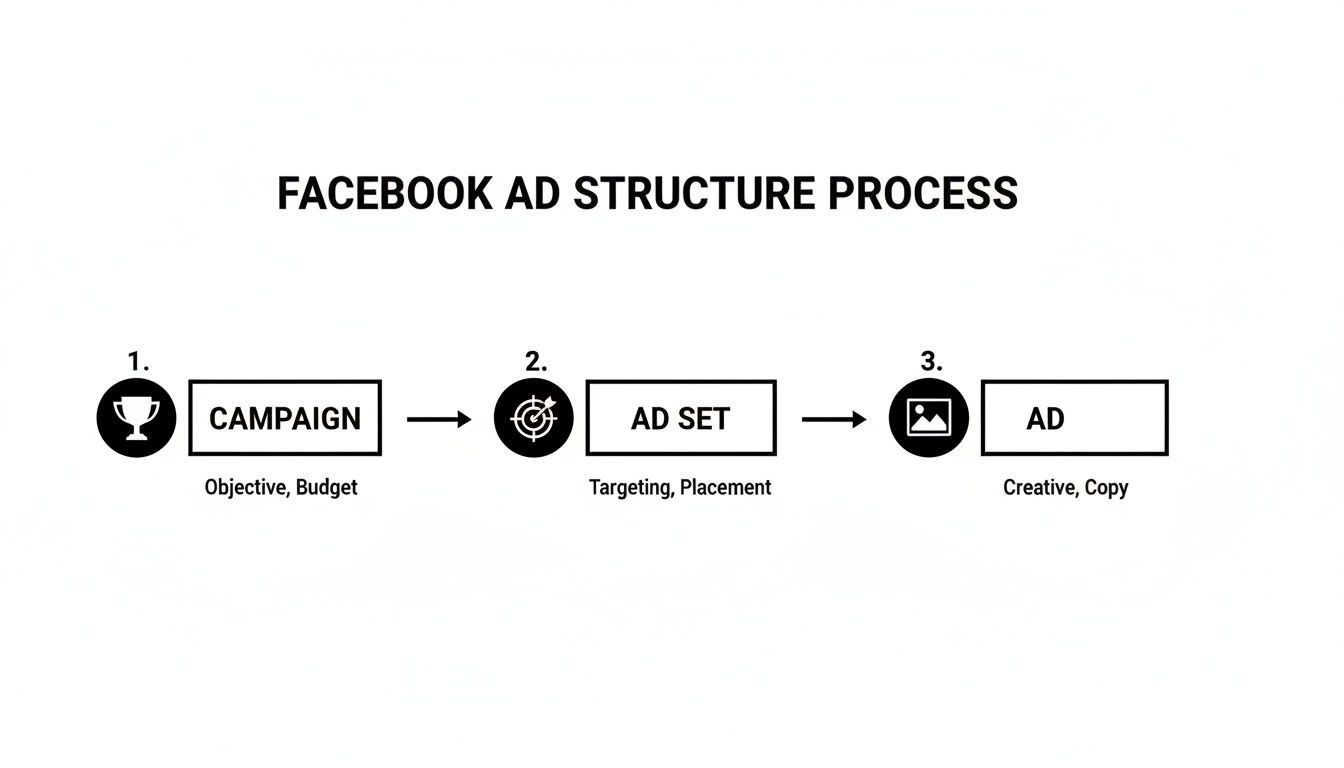
This structure is what makes Facebook Ads so powerful. It ensures your big-picture goal at the Campaign level connects directly to your targeting choices at the Ad Set level, and finally, to the creative execution at the Ad level.
To give you a quick overview, here’s how these three levels break down and what you’ll be controlling at each stage.
| Level | Primary Goal | Key Settings You Control |
|---|---|---|
| Campaign | Sets the single, overarching objective for everything inside it. | Your main advertising goal (e.g., Sales, Leads, Traffic, Awareness). |
| Ad Set | Defines who you want to reach and how you'll spend your money. | Targeting (location, age, interests), budget, schedule, and ad placements. |
| Ad | This is the actual creative content people see in their feeds. | Images, videos, headlines, primary text, and the call-to-action button. |
Understanding this hierarchy is non-negotiable for building effective ads. It's the framework that lets you tap into Facebook's massive user base with precision.
And that user base is enormous. As of early 2025, Facebook's ad platform has a potential reach of 2.28 billion users worldwide. That number represents over 41% of all internet users on the planet, underscoring why a well-structured ad is so critical for connecting with the right people. You can read more about Facebook's enormous advertising reach to get a sense of the scale.
This is where your strategy hits the road. When you're figuring out how to post a ad on Facebook, your first decision—the campaign objective—is easily the most critical one you'll make. It’s like telling your GPS where you want to end up before you even turn the key.
Your objective is a direct signal to Meta's algorithm about what you value most. It tells the system who to show your ad to, optimizing every impression for the specific action you want people to take. Picking the wrong one is the fastest way to burn through your budget on clicks that go nowhere.
Think of it like this: if you tell Facebook you want "Traffic," it will find you the best clickers on the platform. If you select "Sales," it will hunt down users with a history of actually buying things. These are almost always two completely different groups of people.
Facebook makes this pretty straightforward by grouping objectives into categories that follow a typical customer journey. Let’s break down the most common options with some real-world examples.
Your campaign objective is the foundation of your ad’s performance. Choosing an objective that accurately reflects your business goal gives Meta’s delivery system a clear direction, dramatically increasing your chances of success.
The entire platform is built on connecting advertisers with the right people. With ad revenue expected to hit around $116.53 billion by 2025, it’s safe to say the system works. It's a powerful engine, but it needs the right instructions from you to get humming.
After you’ve locked in your objective, you’ll notice a couple of other important settings at the campaign level.
One option you'll see is for creating an A/B Test. This feature lets you run different versions of your campaign against each other to see what really works best. For a deeper look at the platform's interface, make sure to check out our complete Facebook Ads Manager tutorial.
You'll also find Advantage Campaign Budget (what we used to call Campaign Budget Optimization or CBO). When you flip this on, you set a single, central budget for the entire campaign. Facebook then takes over, automatically distributing that money across your different ad sets to chase the best results. It’s a seriously powerful tool for making your ad spend work harder without you having to constantly tweak things manually.
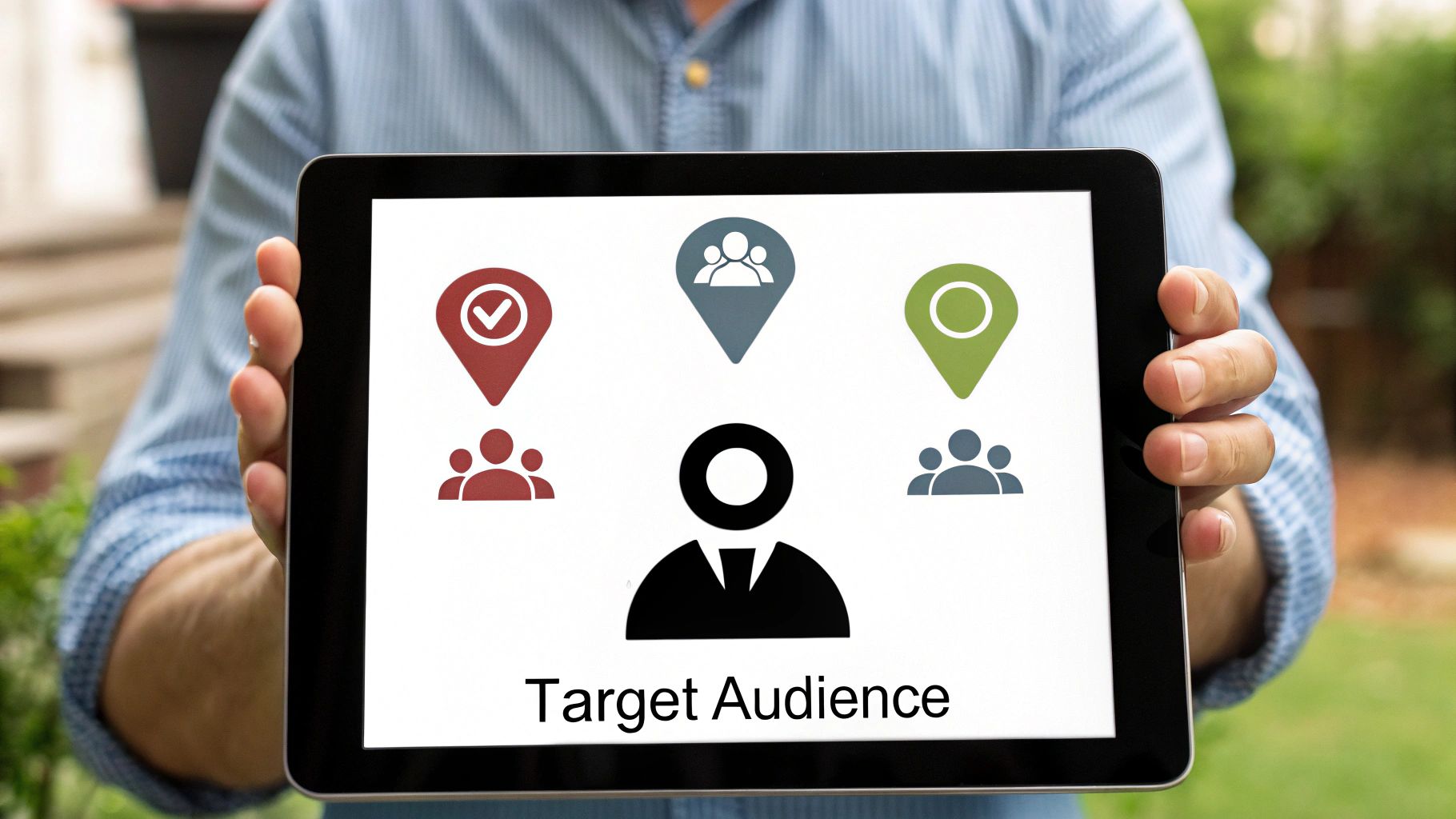
Once you’ve set your campaign objective, you’ll land at the ad set level. This is the crucial stage where you pivot from the what (your goal) to the who (your audience) and the how much (your budget). If you get this part right, your amazing ad creative will actually reach the people who are most likely to take action.
Being specific here is everything. Just throwing a wide net by targeting something vague like "women ages 25-54 in California" is like shouting into a canyon and hoping your ideal customer happens to be there. It's a waste of money. You need to build a detailed, almost personal, picture of your perfect customer using the powerful tools Facebook gives you.
This is where you go beyond the basics and tap into what really makes people tick.
Facebook's real power comes from its ability to find users based on what they're interested in, how they behave online, and who they connect with. This is how you find people who don't just fit a demographic profile but are actively signaling what they want.
Think of these options as the building blocks for creating that perfect audience:
The magic happens when you start layering these attributes to create a hyper-specific audience. A financial advisor, for example, could target users who are 35-50 years old, hold a job title like "Director", and also show an interest in "investing."
To really dig into how you can analyze these groups and find hidden opportunities, check out our deep dive on using Facebook Audience Insights. It’s packed with data-driven tips.
The Ads Manager dashboard, shown above, is your mission control. It's where you'll craft these audiences, manage your budget, and get a bird's-eye view of your entire operation.
With your audience locked in, it's time to talk money. Facebook gives you two main ways to handle your budget, and each one has its place.
A Daily Budget tells Facebook to spend a set amount each day, give or take a little. This approach is perfect for evergreen, "always-on" campaigns where you're looking for a predictable stream of leads or sales day in and day out.
On the other hand, a Lifetime Budget gives Facebook more freedom. You set a total budget for the entire campaign duration, and the algorithm will automatically spend more on the days it thinks it can get you the best results. This makes it a great fit for short-term promotions or flash sales where you have a fixed amount to spend.
Pro Tip: If you're just starting to figure out how to run ads on Facebook, begin with a daily budget. It gives you more direct control and helps prevent any accidental overspending while you're still learning the ropes.
Finally, think about when your ads run. You can schedule your ads to appear only during specific hours or on certain days of the week. To get the most bang for your buck, you'll want to align your budget with the optimal posting times for Facebook, ensuring you're reaching people when they are most active and ready to engage.
Alright, you've dialed in your audience and set a budget. Now comes the fun part—and arguably the most critical: designing the ad creative itself.
This is your one shot to stop someone from mindlessly scrolling past. Let's be honest, no matter how perfect your targeting is, a boring ad gets ignored. Every single time.
A great ad has three parts that work together: the visual (your image or video), the copy (the words), and the call-to-action (the button). Nail all three, and you'll have an ad that not only grabs attention but actually gets people to click.
Facebook gives you a bunch of ad formats, and each one is built for a different purpose. Don't just throw a single image up and call it a day. Think about what you’re trying to achieve.
Key Takeaway: Match the format to your goal. Running an e-commerce sale? A Carousel or Collection ad will almost always beat a single image because you’re letting people see more of what you have to offer.
Your visuals hook them, but your words reel them in. Good ad copy is clear, short, and all about what’s in it for the user. Before you write, it’s worth checking our guide on Meta ad sizes and specs to make sure everything fits perfectly.
Here's how to break down the text:
There's a reason over 10 million active advertisers use this platform—it’s built to get results. We've seen data showing that simple things like using vertical video ads with a voiceover can lead to a 3% higher conversion rate for every dollar you spend. It just goes to show how much small creative choices matter when you're fighting for attention in a busy feed.

You’ve done the heavy lifting—you’ve built your campaign, dialed in the perfect audience, and put together some killer creative. Now you're at the very last step before your ad goes live. This is the moment to slow down and double-check everything. Trust me, a small mistake here can burn through your budget or get your ad flat-out rejected.
Before you even think about hitting that big green "Publish" button, you need to live in the ad preview tool for a few minutes. This is your crystal ball. It shows you exactly how your ad will look across every placement you’ve selected—from the classic Facebook Feed and Instagram Stories to Reels and even Messenger.
Something that looks amazing as a square post might get awkwardly cropped in a vertical Story. This final check is non-negotiable. It ensures your copy is easy to read, your images look sharp, and your call-to-action is clear everywhere. It’s the difference between a professional ad and an amateur mistake.
Think of this as your final line of defense. Running through this quick list will catch 99% of the common errors I see people make. A few minutes here will save you hours of headaches later.
Don’t rush this part. A single broken link or a glaring typo can instantly destroy your ad's credibility and torpedo your results before you even get started. It's the simplest yet most overlooked step in learning how to post an ad on Facebook.
Once you finally click "Publish," your ad doesn't go live right away. It enters Facebook's ad review queue.
This is a largely automated system, though human reviewers can get involved, that scans your ad to make sure it follows their massive list of Advertising Policies.
Most of the time, ads are reviewed and approved within 24 hours, but I’ve seen it take longer. It’s always a good idea to publish your campaigns at least a day before you absolutely need them to run. This builds in a nice buffer for any review hiccups.
You can keep an eye on your ad's status in the "Delivery" column inside Ads Manager. It'll shift from "In Review" to "Processing" and, finally, to "Active" once it's approved and spending money. If something is wrong, you'll see the dreaded "Rejected" status. Don't panic—Facebook usually tells you why, so you can make the fix and resubmit it for review.
Even with the best guide, you're going to have questions. It's totally normal. Jumping into Facebook advertising can feel like a lot at first, but the good news is that most newcomers hit the same few roadblocks.
Let's walk through the most common ones I hear about. Think of this as your quick-reference troubleshooting guide for when you get stuck.
This is the big one, and there’s a popular myth that you need a massive budget to even get started. Not true. The beauty of Facebook Ads is that you are in complete control of the cost. You can literally start with a few dollars a day just to see what happens.
There's no fixed price tag. The real cost comes down to a few moving parts: your total budget, your bidding strategy, how many other advertisers are targeting the same audience, and your industry. It all works like a live auction.
You can set a daily budget for predictable, steady spending, or a lifetime budget if you want to spend a fixed amount over the entire campaign. My advice for beginners? Start small with a daily budget you're comfortable with. Watch your cost-per-result like a hawk and let that data tell you whether to scale up or tweak your strategy.
Ugh, that "Ad Rejected" notification is the worst. It’s frustrating, but it’s almost never personal. More than 99% of the time, it's because you've accidentally broken one of Facebook's Advertising Policies. They have a ton of rules, and it’s easy to trip one by mistake.
Here are the usual suspects for getting an ad rejected:
If your ad gets the boot, Facebook will give you a reason. Read it, check the policies again, fix the ad, and resubmit it. If you genuinely think they made a mistake (which happens!), you can request a manual review.
This is where you need a little patience. Most of the time, ads get reviewed and approved within 24 hours. But it can sometimes take longer.
The review process is mostly automated, but sometimes an ad gets flagged for a human to look at. That's when things can slow down. This is exactly why you should never, ever publish a time-sensitive campaign at the last minute.
I always build in a buffer. Try to submit your ads at least a day or two before you actually want them to go live. You can always see your ad's status—'In Review,' 'Active,' or 'Not Approved'—right in the 'Delivery' column of Ads Manager.
Tired of the slow, repetitive process of setting up campaigns in Ads Manager? Lix.so helps you launch entire Facebook ad campaigns in seconds, not hours. Use our powerful batch tools and reusable templates to test more creatives, scale what works, and get back to focusing on strategy. Start your free 7-day trial with Lix.so today!
Create hundreds of Facebook Ads campaigns in minutes with Lix.so. Batch creative upload, reusable templates, and automatic campaign generation.
✓ Free for 14 days · ✓ No credit card required · ✓ Cancel anytime

